TL;DR
Writing effective ai quiz prompts is less about clever wording and more about being specific. A reliable prompt names the subject, the audience, the question format, and the constraints. In this guide you will learn a four-part anatomy you can reuse, concrete before and after examples for every technique, and a compact cheatsheet that covers MCQ, true or false, fill-in-the-blank, and short-answer question types. By the end you will be able to stop generic, repetitive output and start producing quizzes that feel hand-written by a subject expert.

If you have ever typed "make a quiz about history" into an AI tool and received a bland list of dates and names, you already know the problem. The model is doing exactly what you asked, which is almost nothing. In this guide we will treat prompt writing as a craft with repeatable building blocks, not a magic incantation. Every technique below ships with a before and after example so you can copy the pattern directly into your own workflow. If you are new to the underlying tools, skim what an AI quiz generator actually is first, then come back here for the prompting mechanics.
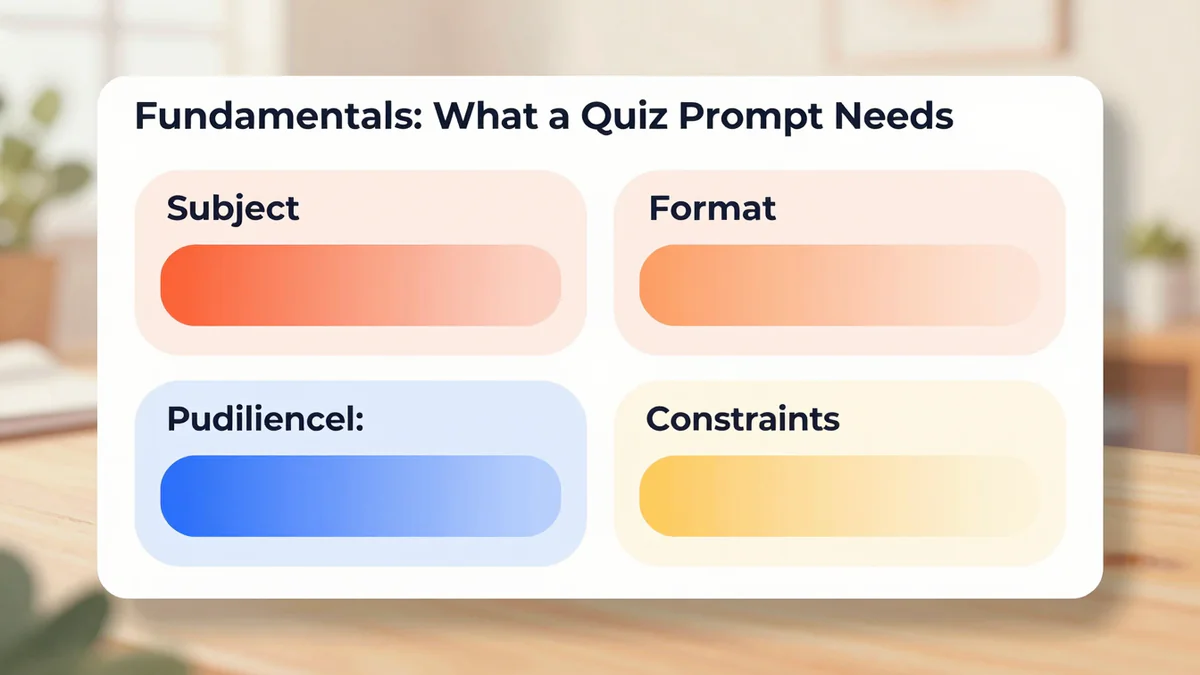
Fundamentals: What a Quiz Prompt Needs
Every high-quality quiz prompt contains four building blocks. Miss one and the output degrades in a predictable way.
- Subject: the exact topic, sub-topic, and scope boundary.
- Audience: the learner profile, grade level, or background knowledge.
- Format: the question type, count, answer structure, and explanation policy.
- Constraints: difficulty, tone, distractor rules, banned patterns, and output schema.
Think of these four blocks as the W-shape of any quiz prompt. If you only give the model a subject, it will guess the rest, and its guesses are usually generic. When you supply all four, the model has no room to drift.
Here is the minimum viable template you can memorize:
Create [N] [question type] questions on [specific topic] for [audience].
Difficulty: [level]. Focus on: [sub-topics]. Avoid: [banned patterns].
Output: [format schema].
Everything that follows is just sharpening one of these four blocks at a time.
Technique 1: Subject Specificity — From Broad to Sharp
The single most common failure mode for ai quiz prompts is a subject that is too broad. "History" is a library, not a topic. The model will cover 3000 years in 10 questions and the result will feel like a tourist brochure. Treat your subject line like a funnel: topic, sub-topic, angle, scope boundary.
Too broad:
"Make a quiz about history."

Better:
"Create 10 MCQ for 8th graders on the causes of World War I.
Focus on: militarism, alliances, imperialism, nationalism (MAIN).
Scope: 1890 to 1914 only. Avoid questions about specific battle dates.
Include one distractor per question that tests a common misconception."
Notice what the "better" version does. It names the era, the framework (MAIN), the year range, and even excludes a type of question that tends to produce trivia-level noise. The model now has a clear target and a clear fence.

A practical heuristic: if you can imagine two very different quizzes that would both satisfy your subject line, it is still too broad. Keep tightening. For content-heavy topics, consider pairing your prompt with a source document, which is covered in the step-by-step tutorial on creating a quiz with AI.
Technique 2: Audience Calibration — Age, Level, Context
The same subject can yield a kindergarten quiz or a graduate exam depending on who is taking it. Audience calibration tells the model what vocabulary to use, how much context to assume, and how long the stem and options should be. A sloppy audience line produces output that feels off by one grade level in either direction.
Weak:
"10 questions on photosynthesis."

Calibrated:
"10 MCQ on photosynthesis for 7th grade biology students
who have just finished the cell-structure unit.
Use vocabulary from the Glencoe Life Science textbook.
Average stem length: 20 to 30 words.
Explanations should be 2 sentences, written to the student in second person."
Three levers matter most when you calibrate:
- Reading level: name a grade, a CEFR band (A2, B1, B2), or a reference textbook.
- Prior knowledge: state what the learner already knows. This prevents the model from re-teaching basics inside a question stem.
- Tone and voice: second person for students, third person for professional exams, imperative for trainers.
For language learning in particular, the audience block is where you pin vocabulary bands and frequency lists. Tools like a vocabulary quiz maker rely on exactly this kind of calibration to keep words inside the learner's range.
Technique 3: Question-Type Steering — MCQ, True/False, Fill-in, Short-Answer
Different question types require different prompt scaffolding. Lumping them together as "questions" is the second most common reason AI quizzes feel lazy. Each type has its own failure modes that you can pre-empt with one or two extra lines.
Multiple Choice
Generic:
"Make 5 multiple choice questions about the French Revolution."

Steered:
"Create 5 MCQ on the French Revolution for high school students.
Each question: 1 stem, 4 options, exactly 1 correct answer.
Distractors must be plausible: 1 common misconception, 1 partially true,
1 wrong time period. No 'all of the above' or 'none of the above'.
Shuffle the position of the correct answer across the set.
Include a 1-sentence explanation for the correct answer only."
This is the pattern you want for most quizzes. See the multiple choice quiz maker guide for the interface that accepts this kind of structured prompt directly.
True or False
Generic:
"Make 10 true or false questions on nutrition."

Steered:
"Create 10 true or false statements on macronutrients for adult fitness clients.
Ratio: 5 true, 5 false, shuffled.
False statements must flip a specific fact, not just negate it.
Avoid double negatives and absolute words like 'always' or 'never'
unless the fact itself is absolute."
Fill in the Blank
Generic:
"Fill in the blank questions on Spanish verbs."

Steered:
"Create 8 fill-in-the-blank sentences for A2 Spanish learners
practicing present tense regular -ar verbs.
One blank per sentence. Provide the infinitive in parentheses after each sentence.
Context: daily routines (eat, study, work, listen, buy).
No irregular verbs. No reflexive verbs."
Short Answer
Generic:
"Short answer questions on climate change."

Steered:
"Create 5 short-answer questions for a college environmental science course.
Expected answer length: 40 to 80 words.
Each question must target one concept (not 'compare and contrast').
Provide a rubric for each: 3 required key points + 1 optional bonus point.
Avoid yes/no phrasing."
Advanced: Multi-Stage Prompting for Repeatable Quality
Once you are producing clean single-shot quizzes, the next upgrade is multi-stage prompting. Instead of asking for 20 finished questions in one call, you split the job into three stages that each have a narrower objective.
Stage 1 — Outline. Ask for a list of concepts to be tested, not questions. This forces the model to plan coverage.
Stage 1:
"List 20 discrete concepts a 10th grader should know about cellular respiration.
Group them into: inputs/outputs, glycolysis, Krebs cycle, ETC, regulation.
Output: numbered list, 1 concept per line, no questions yet."
Stage 2 — Draft. Feed the outline back in and ask for one question per concept. Because the concept is now explicit, the model cannot drift into unrelated territory.
Stage 2:
"Using the concept list above, write 1 MCQ per concept.
Follow the MCQ rules from my earlier prompt.
Do not invent new concepts. If a concept cannot become a fair MCQ, mark it 'skip'
and explain why in one line."
Stage 3 — Audit. In a third call, ask the model to critique its own output against a checklist. You will be surprised how much it catches on its own.
Stage 3:
"Review the 20 MCQ above. For each, check:
1. Is the correct answer actually correct?
2. Are all distractors plausible?
3. Does the stem give away the answer?
4. Is there vocabulary above the target grade level?
Return a table: question number, issues found, suggested fix."
Multi-stage prompting takes three times longer but produces output that is roughly an order of magnitude cleaner. For any quiz you will reuse, for example standardized practice sets or onboarding tests, the extra cost pays for itself on the first run. An AI test generator or exam maker style workflow benefits the most from this pattern, because the stakes per question are higher.
Common Mistakes and How to Fix Them
Even with a solid prompt structure, there are five recurring mistakes that quietly drag down quiz quality. Each has a one-line fix.
- Vague difficulty labels. "Hard" means nothing. Replace with a concrete anchor: "at the level of AP Biology free response" or "questions a B2 reader should answer in under 30 seconds".
- No distractor rules. Without rules, MCQ distractors become random. Always specify the distractor types you want (misconception, partial truth, wrong scope, wrong unit).
- Allowing "all of the above". This option rewards guessing and is almost always a lazy distractor. Ban it explicitly.
- Repeated stem patterns. Models love starting every question with "Which of the following...". Add a constraint: "Vary question stems, no more than 2 questions may share an opening phrase."
- No output schema. If you plan to paste the quiz into a tool, demand JSON or a strict numbered format. Free-form prose is painful to parse.
If you are running quizzes at any scale, consider wiring these rules into a saved prompt template in the AI quiz generator so you never type them twice.
Prompt Cheatsheet
Copy this table into your notes. Each row is a production-tested pattern you can adapt in under a minute.
| Scenario | Template | Key Constraints |
|---|---|---|
| K-12 classroom MCQ | "Create [N] MCQ on [topic] for [grade] students. 4 options, 1 correct. 1-sentence explanation." | Ban "all of the above"; shuffle correct position; distractor types required |
| Corporate training | "Create [N] scenario-based MCQ for [role] on [policy/skill]. Each stem is a 2 to 3 sentence mini-case." | Second person tone; realistic workplace context; include 1 "politically tricky" distractor |
| Language learning | "Create [N] fill-in-the-blank sentences for [CEFR level] learners of [language] practicing [grammar point]." | Stay inside CEFR band; no irregular forms; list allowed vocabulary |
| Exam prep | "Create [N] MCQ modelled on [exam name] for [subject, year]. Match the exam's stem length and difficulty distribution." | Cite exam style guide; include 20 percent "trap" questions; no easy gimmes |
| Onboarding test | "Create [N] true/false + [N] short-answer on [company process]. Base exclusively on the attached SOP." | No outside knowledge; answers must be traceable to the SOP; flag ambiguous sections |
| Self-study flashcards | "Create [N] short-answer questions on [topic] at [level]. One concept per card, answer under 40 words." | No compound questions; explanations in learner-friendly second person |
Key Takeaways
- A strong quiz prompt always names four blocks: subject, audience, format, constraints. Skip one and quality degrades predictably.
- Subject specificity is the highest-leverage lever. Tighten until two very different quizzes can no longer satisfy the brief.
- Audience calibration is about reading level, prior knowledge, and tone. Grade levels and CEFR bands are your friends.
- Steer each question type with its own scaffolding. MCQ needs distractor rules, true/false needs fact-flipping rules, fill-in needs vocabulary fences, short-answer needs rubrics.
- Multi-stage prompting (outline, draft, audit) adds effort but produces repeatable, reviewable quality.
- Bake your rules into a saved template so you never rewrite them from scratch.
If you are ready to move from reading to practicing, open the generator and paste one of the cheatsheet rows as your starting prompt. Iterate from there, and you will feel the quality jump immediately.