TL;DR
Looking for the best AI quiz generators 2026 has to offer? We tested ten popular tools against five criteria that actually matter in classrooms and training rooms: question quality, pricing clarity, export formats, classroom fit, and free-tier usefulness. The short answer: there is no single winner for everyone. Teachers who want fast, reliable question generation from their own materials should start with AI Quiz Maker. Classrooms that thrive on live engagement will prefer Quizizz or Kahoot. Corporate trainers get the most from ProProfs. Below you will find a verdict table, full profiles, and a pick-by-scenario guide so you can choose without reading every section.

How We Ranked
Our ranking reflects hands-on use across a full semester of content, not marketing claims. We evaluated each tool on five weighted criteria: question quality (does the AI produce pedagogically sound items, or generic trivia), pricing transparency (published tiers versus hidden enterprise quotes), export formats (Word, PDF, QTI, Kahoot, Google Forms, LMS-ready packages), classroom fit (does it serve K through 12, higher ed, or corporate learners), and free-tier limits (how much you can do before a paywall). We deliberately avoided niche scoring so the list stays useful for buyers comparing day to day.
Verdict Table
| Tool | Best For | Starting Price | Free Tier |
|---|---|---|---|
| AI Quiz Maker | Teachers generating from source material | Free to start, paid from low monthly | Generous starter credits |
| Quizizz | Interactive classroom gameplay | Free + Super plan | Unlimited basic quizzes |
| Kahoot | Gamified live quizzing | Free + paid plans | Limited player count |
| Quizlet | Study sets and flashcards | Free + Plus plan | Core study tools free |
| ProProfs Quiz Maker | Corporate and compliance training | Paid plans only | 15-day trial |
| Conker (from Mote) | Lightweight free quiz drafts | Free tier available | Yes, with caps |
| Formative | Differentiated formative assessment | Free + Essentials/Premium | Core assessments free |
| Typeform Quiz | Branded marketing quizzes | Free + paid tiers | 10 responses per month |
| ClassPoint | Live PowerPoint quizzing | Free + Pro plan | Quiz add-ins free |
| Google Forms + AI add-ons | Free baseline with Workspace | Free with Google account | Full Forms free |
Prices and quotas change. Always confirm on each vendor's pricing page before buying seats for a whole department.
1. AI Quiz Maker — Best Overall for Teachers
AI Quiz Maker is our own product, so treat the placement with appropriate salt. That said, the reason we list it first is simple: we built it for the teacher workflow that every other tool on this list treats as a secondary feature. You paste a passage, upload a PDF, or describe a topic, and you get a usable multiple-choice, true/false, or short-answer quiz in seconds. It is the tool we reach for when lesson planning on a Sunday night.
Who it is for: K through 12 and higher ed teachers, tutors, and curriculum designers who generate quizzes from their own materials. Also fits trainers who want a no-friction starting point.
Pricing: Free to start. Paid plans add higher monthly generation caps, DOCX and PDF exports without watermark, and longer source inputs. See the pricing page for current tiers.
Free-tier limits: Enough monthly credits to build a few quizzes per week. Exports are available on the free tier with a light watermark.
Question types: Multiple choice, true/false, short answer, fill in the blank. Optional answer keys and explanations.
Export formats: DOCX, PDF, plain text, and a JSON export for developers. More LMS-ready packages are on the roadmap.
One weakness: Non-English content is improving but still trails English quality. Chinese and Spanish outputs are usable but we recommend a quick human review. Live-play features are not part of the product today. If you want buzzers and leaderboards, see Quizizz or Kahoot further down.
2. Quizizz — Best for Interactive Classroom
Quizizz has quietly become the default for live and asynchronous classroom play. Its AI assist generates question banks from a topic or a pasted reading, and you can curate the output before sending it live. Student mode is well designed and the reports are classroom-ready.
Who it is for: K through 12 teachers who want game-based engagement and clean teacher reports.
Pricing: Free core plan with a Super plan for richer AI and reporting. Department and school plans are quoted separately.
Free-tier limits: Unlimited basic quizzes and live games. AI features are more generous on Super.
Question types: Multiple choice, checkbox, fill in the blank, poll, open-ended, draw, and audio response.
Export formats: Share links, embed, and Google Classroom and Microsoft Teams integrations. PDF export is available on paid tiers.
One weakness: Heavy game framing can feel distracting in older classrooms or exam-prep contexts. The AI output also tends toward shorter items.
3. Kahoot — Best for Gamified Quizzing
Kahoot is the household name of live quiz games. Its AI question generator has matured in the last year, and the platform is still the easiest way to host a noisy, fun live round. Creator studio lets you mix AI drafts with hand-written stems.
Who it is for: Teachers, trainers, and event hosts who value energy and big-room engagement over deep assessment.
Pricing: Free tier with paid personal, school, and business plans.
Free-tier limits: Basic hosting with player caps on certain modes. AI features are more generous on paid plans.
Question types: Multiple choice, true/false, type answer, puzzle, slider, and open-ended reflections.
Export formats: PDF reports on paid tiers, plus integrations with Microsoft Teams, Zoom, and common LMS platforms.
One weakness: Time pressure mechanics encourage speed over accuracy, which is great for recall but less suited to reflective thinking tasks.
4. Quizlet — Best for Study Sets & Flashcards
Quizlet's core is still flashcards and study sets, but the AI additions, Magic Notes and Learn mode, turn a pasted reading into quizzes and practice tests quickly. If your learners spend hours in the app studying on their own, Quizlet's loop is hard to beat.
Who it is for: Students, test-prep tutors, and teachers who want a polished self-study path alongside in-class use.
Pricing: Free account with a Plus plan for premium AI features and offline study.
Free-tier limits: Unlimited study sets, practice tests with daily caps on the free tier.
Question types: Multiple choice, match, write, true/false, and AI-generated practice tests.
Export formats: Share links and printable study sets. Rich export is limited compared with dedicated quiz tools.
One weakness: Weak for authoring formal classroom assessments. Better as a learner-facing product than a teacher authoring tool.
5. ProProfs Quiz Maker — Best for Corporate Training
ProProfs is the pick when compliance, certificates, and reporting dashboards matter more than classroom polish. It is packed with features: question pools, randomization, timed exams, and LMS integrations. The AI assistant suggests questions from training materials and keeps the tone professional.
Who it is for: L&D teams, compliance trainers, and HR departments running certification exams at scale.
Pricing: Paid plans only, starting at a monthly business rate. Enterprise quotes on request.
Free-tier limits: 15-day trial. Not a long-term free option.
Question types: 15-plus formats including MCQ, multiple response, hotspot, matching, essay, and audio/video response.
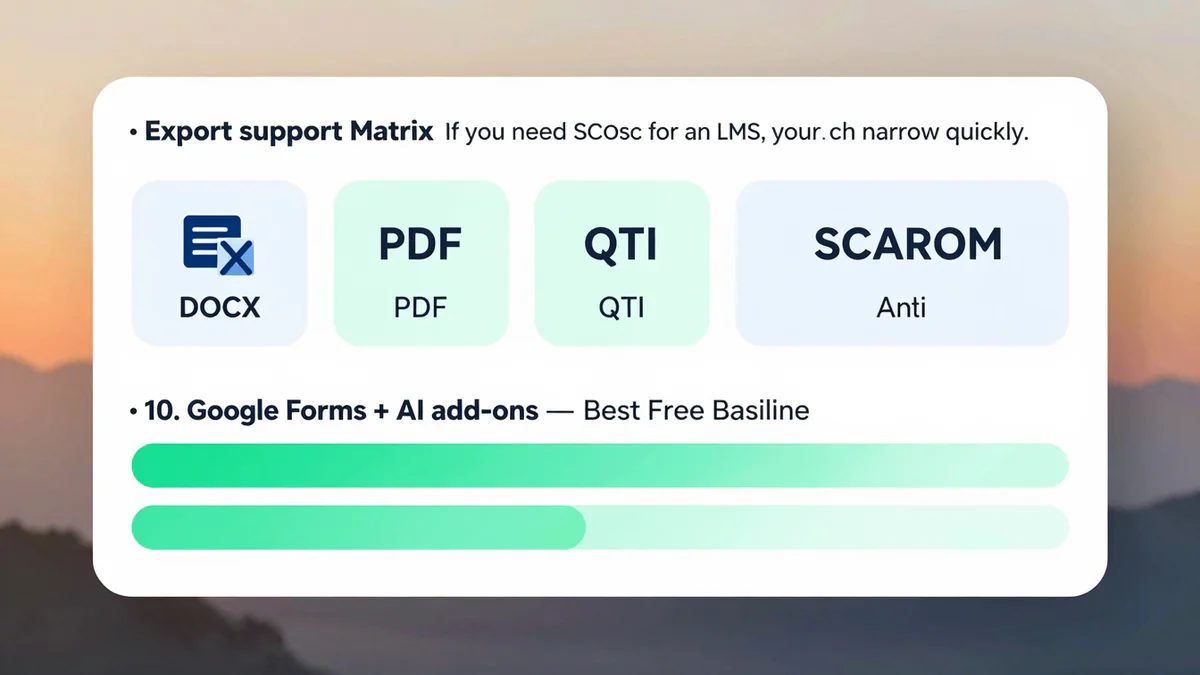
Export formats: PDF, Word, Excel, and SCORM for LMS import. Strong reporting and gradebook exports.
One weakness: The interface shows its enterprise heritage. Teachers used to consumer tools often find the first hour of setup slower than competitors.
6. Conker (from Mote) — Best Lightweight Free Tool
Conker is a simple, focused AI quiz generator that does one thing well: turn a topic or a passage into a clean multiple-choice quiz you can share or print. It is our recommendation for teachers who want the fastest path from idea to printable page without creating another account to maintain.
Who it is for: Teachers who want a no-commitment free tool for occasional quizzes.
Pricing: Free tier available. Premium unlocks higher caps and more question types.
Free-tier limits: Monthly quota on AI generations and saved quizzes.
Question types: Multiple choice, true/false, fill in the blank. Limited compared with larger platforms.
Export formats: Share link, Google Forms export, printable PDF.
One weakness: No live gameplay, limited analytics, and a smaller question-type library than the leaders.
7. Formative — Best for Differentiated Assessment
Formative shines when teachers want to watch student thinking unfold in real time. It is less of a quiz game and more of a classroom assessment tool with AI-authored items, hint scaffolds, and show-your-work canvases. Admin and teacher teams love its standards alignment features.
Who it is for: Teachers who care about formative assessment, standards alignment, and differentiated instruction.
Pricing: Free core plan with Essentials and Premium tiers. District pricing on request.
Free-tier limits: Core assessments and basic reports on free. AI features and advanced reporting on paid tiers.
Question types: MCQ, short answer, show your work, drawing, audio, and graphing.
Export formats: CSV, PDF reports, LMS integrations for Canvas, Schoology, and Google Classroom.
One weakness: Pricing details can require a sales conversation once you move past the free plan, which slows down individual teachers comparing tools.
8. Typeform Quiz — Best for Branded/Marketing Quizzes
Typeform is not built for classrooms. We include it because marketers, coaches, and course creators regularly need a branded quiz that routes users to different outcomes. Typeform's AI question helper and design system make it the most polished choice for a lead-magnet quiz on a landing page.
Who it is for: Marketers, course creators, and coaches running outcome-based quizzes with strong branding.
Pricing: Free tier plus Basic, Plus, and Business paid plans.
Free-tier limits: 10 responses per month on the free tier, which is thin for any real marketing use.
Question types: Multiple choice, picture choice, ranking, rating, open-ended, and conditional logic paths.
Export formats: Webhook and Zapier integrations, CSV export on paid plans, plus direct connections to most email and CRM tools.
One weakness: Expensive for educational use and missing gradebook features. Overkill if all you want is a simple classroom quiz.
9. ClassPoint — Best for Live PowerPoint Integration
ClassPoint is a PowerPoint add-in that turns a slide into an interactive quiz moment. Teachers who live in PowerPoint love it because it adds question slides, a live response layer, and AI-generated items without pulling them into a separate app. It is a smart choice for lecturers and presenters.
Who it is for: Higher ed lecturers, trainers, and anyone who presents from PowerPoint and wants quizzing baked in.
Pricing: Free plan with a Pro plan for unlimited AI and saved classes.
Free-tier limits: Limited AI generations per month on free, but the core slide quiz features are generous.
Question types: Multiple choice, short answer, word cloud, image upload, fill in the blanks, and slide drawing.
Export formats: Saves back into your PowerPoint file. CSV reports on Pro.
One weakness: Tightly coupled to PowerPoint. Google Slides users and fully web-based classrooms get less value.
10. Google Forms + AI add-ons — Best Free Baseline
Google Forms remains the default free baseline for quick classroom quizzes, and a growing ecosystem of AI add-ons, like Form Publisher, QuizBot, and several Gemini-powered helpers, can draft questions from a Google Doc. For teachers already in Google Workspace this is still the cheapest viable answer.
Who it is for: Schools that live inside Google Workspace and want zero extra cost.
Pricing: Free with a Google account. Add-ons may have their own pricing.
Free-tier limits: Unlimited quizzes and responses, governed by Workspace storage.
Question types: Multiple choice, checkbox, short answer, paragraph, dropdown, linear scale, and grid.
Export formats: Google Sheets auto-export, PDF, and integrations with Google Classroom.
One weakness: Out of the box, Forms has no AI at all. You rely on third-party add-ons whose quality and data handling vary. Vet each add-on before use.
Honorable Mentions
Two more worth knowing about. Questgen is a focused AI quiz API and web tool that creates strong reading-comprehension items from long text, and ships with a clean Word export. Canva Quiz is new but interesting for visually driven classrooms, combining Canva's design ecosystem with simple AI question drafting. Neither made the main ten because their feature set is narrower than the tools above, but both are worth a look when your needs match their strengths.
Final Verdict: Which to Pick When
Here is the shortest honest advice we can give by scenario:
- You want a reliable quiz from your own materials in under a minute. Start with AI Quiz Maker. It is purpose-built for that flow and the free tier is enough to decide.
- You want a loud, engaging live game. Kahoot if the room skews younger and energy matters most, Quizizz if you also want clean reports afterward.
- You need classroom-quality exports to Word or PDF. Look at AI Quiz Maker or Conker for quick prints, and ProProfs if you also need SCORM and LMS packaging.
- You run compliance or certification training. ProProfs, with Formative as a distant second for non-compliance corporate learning.
- You want the fastest free baseline inside Google Workspace. Google Forms with a reputable AI add-on.
- You are building a lead-magnet or branded outcome quiz. Typeform. For classrooms it is overkill, for marketing it is still the one to beat.
- You present from PowerPoint and want live quizzes. ClassPoint.
- You run a formal exam or an assessment bank. Consider Exam Maker for exam-paper-style output, plus any of the tools above for the authoring step.
If you are new to this category and want a deeper primer before picking, our explainer on what an AI quiz generator actually does covers how these tools work under the hood and where AI still needs human review.
Key Takeaways
- The best AI quiz generators 2026 lineup is diverse; pick by workflow, not by the biggest brand name.
- Teachers generating from source materials should start with AI Quiz Maker and add a live tool only if they need one.
- Live gamification is still owned by Quizizz and Kahoot, with ClassPoint strong for PowerPoint users.
- Corporate and compliance training is a different market; ProProfs wins on SCORM, reporting, and certificates.
- Google Forms plus a vetted AI add-on remains the cheapest viable baseline for Workspace schools.
- Always confirm vendor pricing and free-tier quotas on the official pricing page before you buy seats.